How to Protect Your Tech While Traveling to Sporting Events
30 seconds summary
- When traveling to sporting events, protect your tech by bringing only the devices you really need and keeping them in a secure, well-organized bag. Use strong passwords, enable tracking features, and back up your data before leaving.
- Keep phones and laptops out of sight when not in use, avoid leaving devices in cars, and protect them from weather, drops, and crowded spaces.
- Be careful with public Wi-Fi and charging stations, and always have a backup plan in case something gets lost or stolen. Smart preparation helps you enjoy the event without tech problems.
Introduction
Traveling to sporting events is exciting. Whether you are heading to a local stadium, driving across the state for a rivalry game, or flying to another city for a championship, the experience is often packed with energy, noise, crowds, and movement. In the middle of all that excitement, many people bring valuable technology with them without giving much thought to how vulnerable it can be. Phones, tablets, laptops, smartwatches, cameras, portable chargers, wireless earbuds, and other gadgets make travel easier and more enjoyable, but they also create risk. A packed stadium concourse, a tailgate lot, a rideshare stop, or a crowded transit station can quickly become the place where a device gets damaged, lost, or stolen.
Protecting your tech while traveling to sporting events is about much more than avoiding inconvenience. For many people, their devices hold work files, banking apps, family photos, tickets, travel reservations, and personal messages. Losing access to that information can turn a fun event into a stressful and expensive problem. The good news is that you do not need to be paranoid to stay safe. A few smart habits before, during, and after your trip can significantly reduce the chance of trouble.
This guide explains how to protect your devices physically, digitally, and practically while traveling to games, tournaments, and other sports events. From choosing the right bag to using secure charging habits and preparing for bad weather, each step helps keep your tech safe so you can focus on enjoying the event.
Understand the Risks Before You Leave
The first step in protecting your technology is understanding what can go wrong. Sporting events bring together large crowds, emotional energy, tight seating, long walks, and lots of distractions. In these environments, people are less likely to notice when they leave a phone behind on a seat or when someone brushes past them in a crowd. Devices are also exposed to food spills, rain, dropped bags, overheating in parked cars, and rough handling during travel.
Another issue is overpacking. Many travelers bring more tech than they really need. The more devices you carry, the more difficult they are to manage. Every extra charger, cable, battery bank, or accessory is one more thing to keep track of. Before leaving for the event, think carefully about what you actually need. If you do not need a laptop, do not bring it. If a tablet can stay at home, leave it there. Reducing your load is one of the easiest ways to reduce risk.
It is also important to understand venue rules. Some stadiums have strict bag policies, limits on battery packs, and restrictions on camera equipment or laptop size. If you ignore these rules, you may end up forced to return items to your car, throw something away, or awkwardly rearrange your gear outside the entrance. Planning around the venue’s policy keeps your devices safer and avoids unnecessary stress.
Choose the Right Bag for Your Devices
Your bag is your first line of defense. A weak, overstuffed, or poorly organized bag makes it much easier for devices to get scratched, crushed, or stolen. When traveling to a sporting event, choose a bag that fits the occasion and protects what you carry. If you are bringing a laptop for work before or after the event, use a padded sleeve or one of the many durable bags for laptops designed for travel and crowded environments. A bag with structure, internal compartments, and secure zippers offers far more protection than a loose tote or flimsy backpack.
Comfort matters too. You may need to walk long distances from parking areas, transit stops, or hotels. A bag that is uncomfortable encourages you to set it down more often, which increases the chance of forgetting it. Crossbody bags, anti-theft backpacks, or compact sling bags can be excellent choices depending on how much you need to carry. Look for features such as hidden pockets, water-resistant material, lockable zippers, and padded sections for electronics.
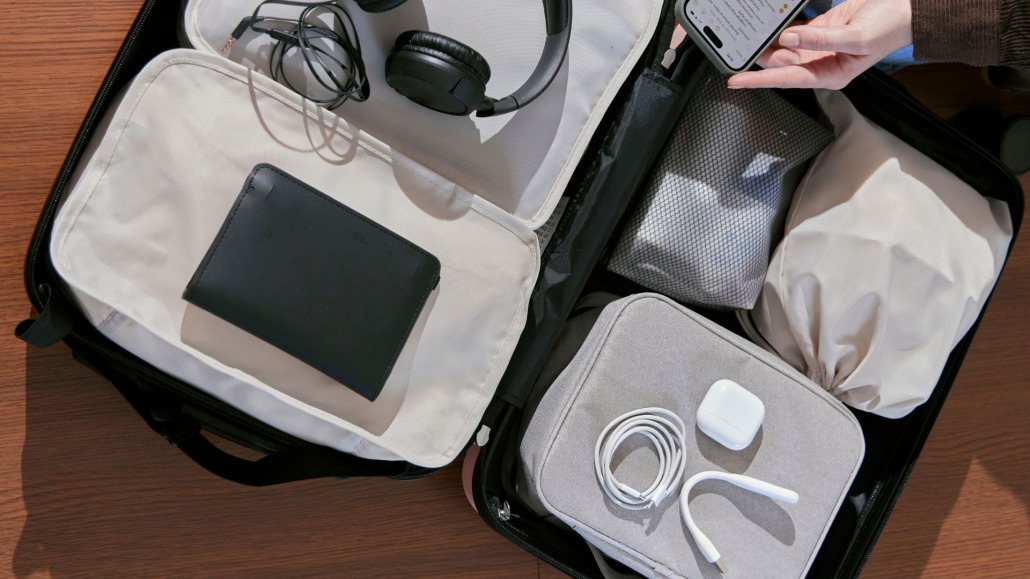
Keep your bag organized. Do not let your phone screen rub against keys or your charging cables tangle around earbuds and batteries. Use small cases or pouches for accessories so that each item has a place. An organization not only protects the gear itself but also makes it easier to notice quickly if something is missing.
Secure Your Phone Like It Is Your Most Important Device
For most travelers, the smartphone is the single most important piece of technology they carry. It often stores digital tickets, maps, hotel details, payment apps, emergency contacts, and camera access. That is why your phone deserves special attention before the trip even begins.
Start with a strong passcode, not a simple four-digit number that is easy to guess. Enable biometric security such as fingerprint or facial recognition if your device supports it. Turn on device tracking features like Find My iPhone or Find My Device so you can locate the phone if it is lost. Make sure the phone is backed up before you travel so you do not lose important information if the device gets damaged or disappears.
Physically, use a reliable case and a screen protector. Sporting events involve bleachers, concrete walkways, and crowded seating where phones can easily slip from hands or pockets. A protective case will not make the phone indestructible, but it can make the difference between a harmless drop and a shattered screen. Avoid placing your phone in a loose back pocket where it can fall out while standing, sitting, or moving through crowds. A front pocket, zippered pouch, or secured internal bag compartment is usually safer.
Keep Laptops and Tablets Out of Sight
If your trip includes work, school, or longer travel days, you may need to bring a laptop or tablet. These devices are especially attractive to thieves because they are valuable and easy to resell. The best rule is simple: do not display them unless you truly need to use them.
Avoid opening a laptop in unnecessary public places, especially in busy transit terminals, parking lots, or food areas near the venue. When you do use it, stay aware of your surroundings. Never leave it unattended on a chair or table, even for a moment. Many losses happen during quick distractions, such as ordering food or visiting a restroom.
Do not store a laptop in a visible car seat or plain sight in a vehicle. Even if you think you will only be gone for a short time, a visible device can invite a break-in. If you must leave a device in the car, power it down completely and place it in the trunk before arriving at the parking area, not after. This prevents anyone nearby from seeing where you hide it.
For tablets, the same principle applies. Keep them protected in sleeves or cases, and only carry them if they serve a clear purpose. Entertainment is useful during long travel, but once you reach the venue, smaller and less noticeable tech is generally easier to manage.
Back Up Everything Before the Trip
One of the smartest travel habits is backing up your data before leaving. People often focus only on protecting the device itself, but in many cases the information inside is even more valuable. If your phone, tablet, or laptop is lost, stolen, or damaged, a current backup can save you from major disruption.
Back up photos, documents, contacts, notes, and any work files you may need. Use cloud storage, an external drive kept at home, or both. Double-check that your travel confirmations, digital tickets, hotel reservations, and important contact numbers are accessible from another device if necessary. It is also wise to save screenshots or offline copies of tickets and directions in case you lose internet access during the trip.
Backing up does not prevent theft or damage, but it turns a potential disaster into a manageable inconvenience. With proper backups, you can replace hardware without losing the parts that matter most.
Protect Your Devices From Weather and Physical Damage
Sporting events often expose people to the elements for hours at a time. Rain, snow, wind, dust, heat, and cold can all affect electronics. Even if the game is in a covered venue, your travel to and from the stadium may expose your gear to weather.
Water is an obvious threat. A water-resistant bag helps, but small waterproof pouches or zippered plastic covers can offer extra protection for phones, chargers, and earbuds. If rain is expected, prepare before leaving instead of reacting after the weather turns. Moisture can sneak into ports, speakers, and seams even during short exposure.
Heat is another major concern, especially if you leave devices in a parked car. Cars can become dangerously hot very quickly, and excessive heat can damage batteries, screens, and internal components. Never leave laptops, phones, or power banks baking in direct sunlight. If the weather is hot, carry your devices with you and keep them shaded whenever possible.
Cold weather matters too. Batteries tend to drain faster in low temperatures, and rapid shifts between cold outdoor air and warm indoor spaces can create condensation. Keep devices insulated inside your bag and avoid exposing them unnecessarily.
Use Public Wi-Fi and Charging Stations Carefully
When traveling to a sporting event, you may find yourself relying on public Wi-Fi in airports, hotels, transit hubs, restaurants, or the venue itself. While convenient, public networks can expose you to unnecessary security risks. Avoid logging into sensitive accounts such as banking or work systems unless you are on a trusted network or using added protection like a virtual private network. If possible, use your cellular connection instead of public Wi-Fi for important tasks.
Charging stations also deserve caution. Free charging kiosks may seem helpful when your battery is low, but it is safer to carry your own charger, wall adapter, and power bank. Public USB ports can create both security and reliability concerns. A portable battery pack gives you more control and keeps you from being stranded with a dead device during ticket scanning or navigation.
Charge fully before you leave and bring only the cables you need. Avoid pulling out all your accessories in crowded areas because that increases the chance of leaving something behind.
Conclusion
Sporting events should be memorable for the right reasons. You want to remember the atmosphere, the crowd, the game-winning play, and the excitement of the trip, not the panic of losing your phone or discovering a cracked laptop screen. Protecting your tech while traveling does not require expensive gadgets or complicated systems. It comes down to preparation, awareness, and smart choices.
Bring only what you need. Use a secure and organized bag. Back up your data before leaving. Protect devices from weather, impact, theft, and digital threats. Stay aware of crowds, be cautious with public charging and Wi-Fi, and always have a backup plan. When you treat your technology like an essential part of your travel setup instead of an afterthought, you dramatically improve your chances of keeping it safe.



This article nails it—organizing tech essentials and securing them is crucial when traveling to sports events. I’ll definitely back up my data and use strong passwords before the next game.